AI Design
B2B Enterprise
ERP SaaS
Shipped
Scaling Interview Questionnaires with AI

OVERVIEW
FlairX is an interview-as-a-service platform where questionnaires are used to hold AI Interviewers, Expert Interviews, AI Phone Screenings, and Resume Screenings. Hand-drafted questionnaires was a model that couldn't survive 100+ requests a day.
GOAL
Scale questionnaire creation by replacing manual admin drafting with customer-led, AI-powered creation.
Hand drafted questionnaires couldn't scale to 100s a day.
CHALLENGES
I Identified Three Barriers To Scaling
01
SPEED
Nobody wanted to spend 30 minutes or 5+ hours building a questionnaire.
02
ADOPTION
A 25-field form of "Isn't this already in the job description I added?"
03
TRUST
One-click AI wasn't specific enough to trust.
SOLUTIONS
Designed A Flow Made Scalable Through a Review and Refine Model
Explores flow and logic; see mocks for final designs.
01
Human-in-the-Loop Flow
IMPACT
Increased trust in AI output
Since AI generates within the scope and guidance the user predefines, not from a blank prompt. The output stays predictable and specific.
01
HOME PAGE
Start of the flow.

02
CREATE POST
Job description parsing auto-fills the form.

03
SET STANDARDS
Questionnaire Preferences captures intent before generation, keeping the user in control of the output and reducing regenerations.

04
CREATE SKILLS
Real-time weightage and time bars show exactly where users stand as they edit.

Why Skills and Questions are Generated Separately?
A separate skills stage creates a checkpoint. Catching structural issues before they become expensive regenerations.
05
CREATE QUESTIONS
The structured layout removes the burden of formatting for the user and keeps each question's type, skill, and scope distinct, giving AI clean, unambiguous input for creation and downstream processes.
Three Levels of Editing
Full Questionnaire, Skill, Question

Adding Questions Using AI
Main Questions & Follow Up Questions

Using the Question Library
For expert-vetted questions when AI fails.

Editing Skills After Skill Generation

Exiting Before the Post is Created

When AI Generation Fails

Exiting Before Requirements are Set Up

Resuming Set Up After Exiting Early

02
Automated Requirement Extraction
IMPACT
Increased adoption
since AI fills the setup form automatically, eliminating redundant data entry at both stages.
OLD MANUALLY TYPED INPUT FIELDS
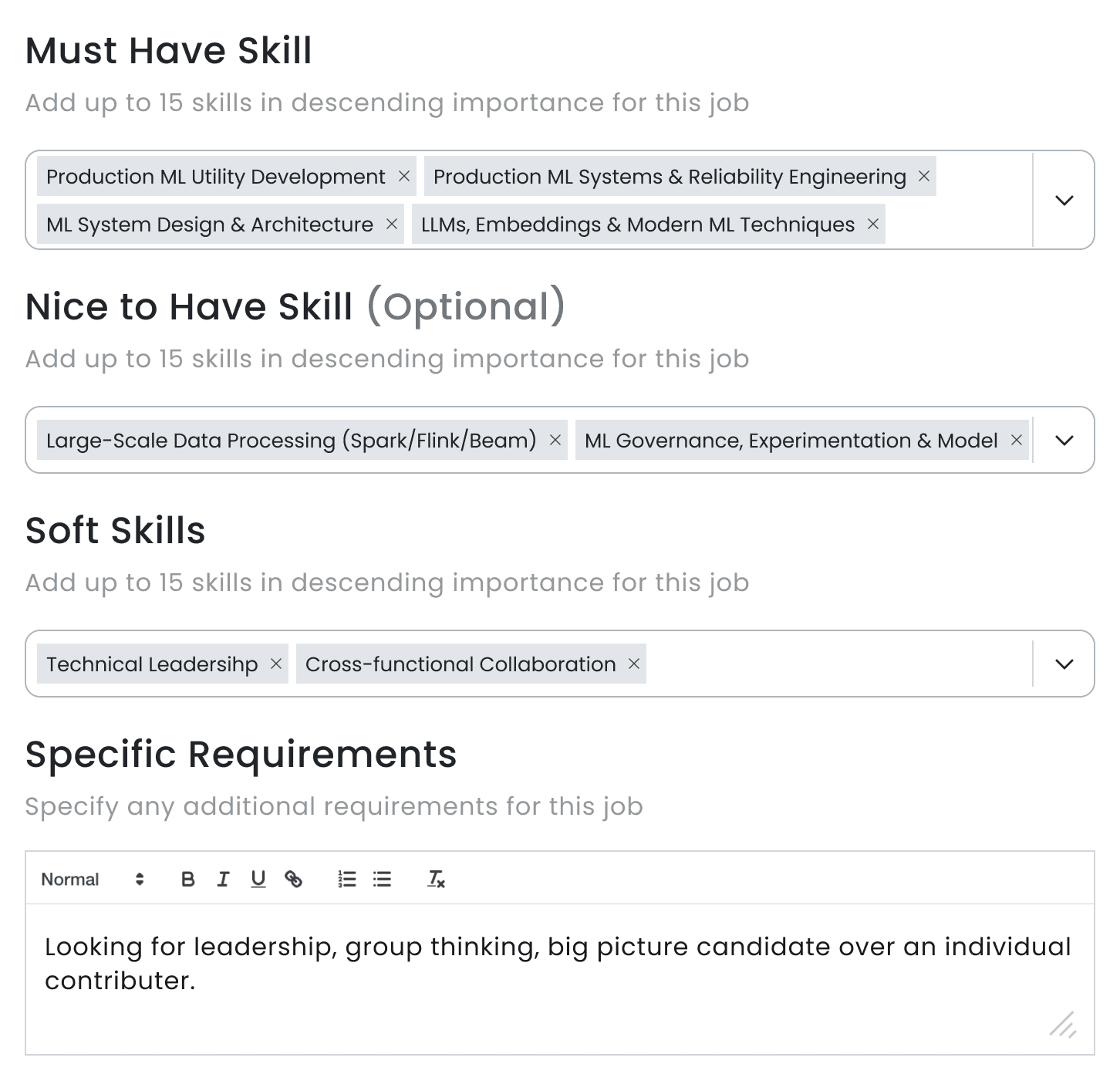
NEW AI EXTRACTED OUTPUT

03
In-Page Anchors Over Multi-Tab Navigation to Support a Review Mindset
IMPACT
Faster review
from reduced navigational depth when users shifted from creating to reviewing, with fewer clicks and no page jumping.
OLD TWO-TIERED TAB + SEGMENTED VIEW
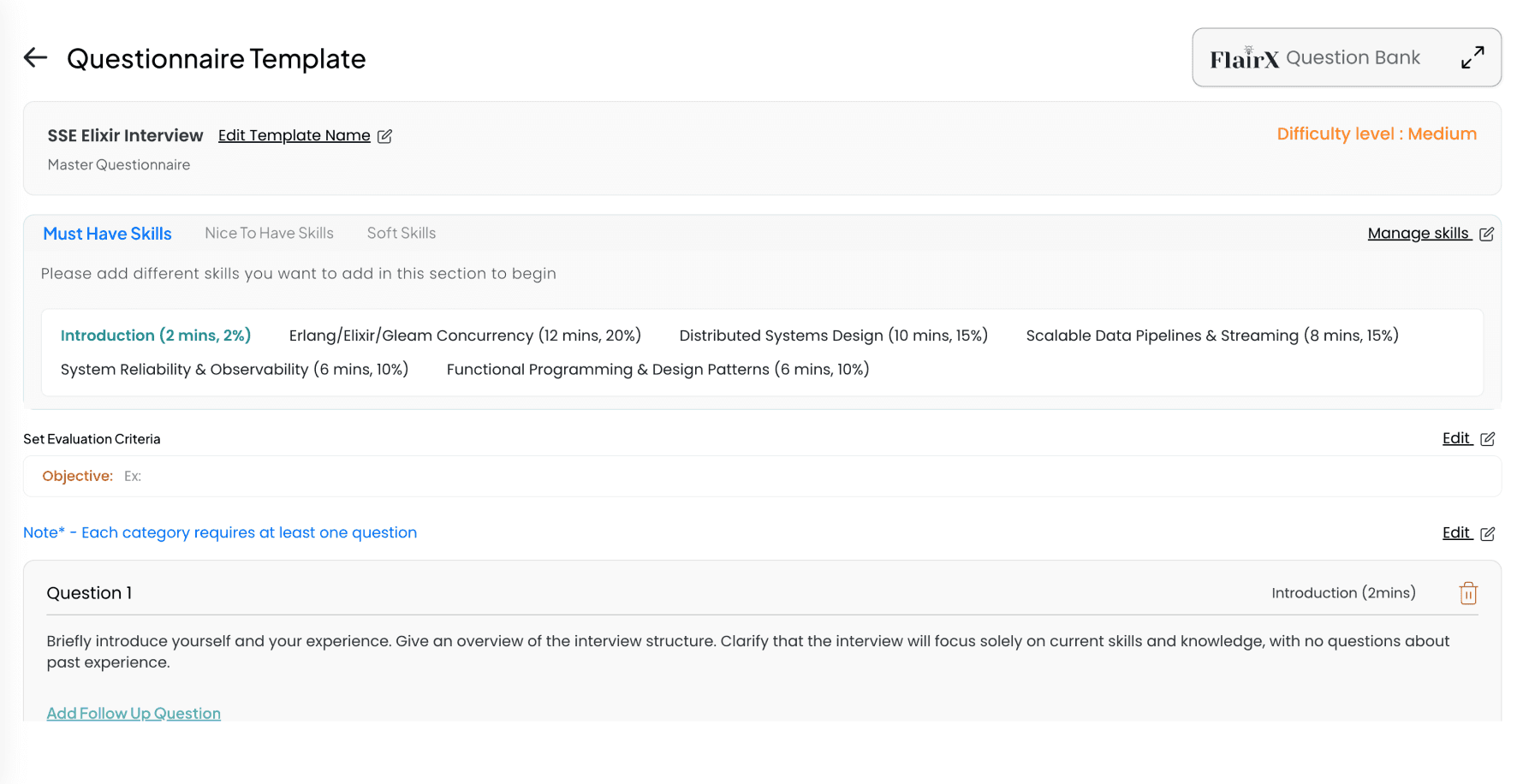
NEW IN-PAGE ANCHOR NAV + HOLISTIC VIEW

IMPACT
Results That Validated the Approach
7x
Efficiency
End-to-end drafting dropped from at least 30 minutes of manual work to under 3 minutes of AI-assisted review.
4x
Increased Adoption
Customers moved off of shadow workflows and into the native platform once the friction points were removed.
PROCESS
I Worked Across Design, Product, Engineering, and with the Founder to Take This Feature from Concept to Shipped
2-Day Warroom
An ideation sprint with the full cross-functional team.
Contextual Inquiry
Observed and interviewed users using competitions.
Customer Reviews
Tracked and implemented customer feedback since MVP release.
Guerrilla Research
Self-initiated interviews conducted as access and opportunity allowed.
Rapid Iteration and Validation with AI
Utilized Claude and Figma Make for prototyping resulting in faster validation and less wasted build time.

Claude

Figma

Figma Make
DISCOVERIES
I Mapped the Competitive Landscape to Find FlairX's Opportunity
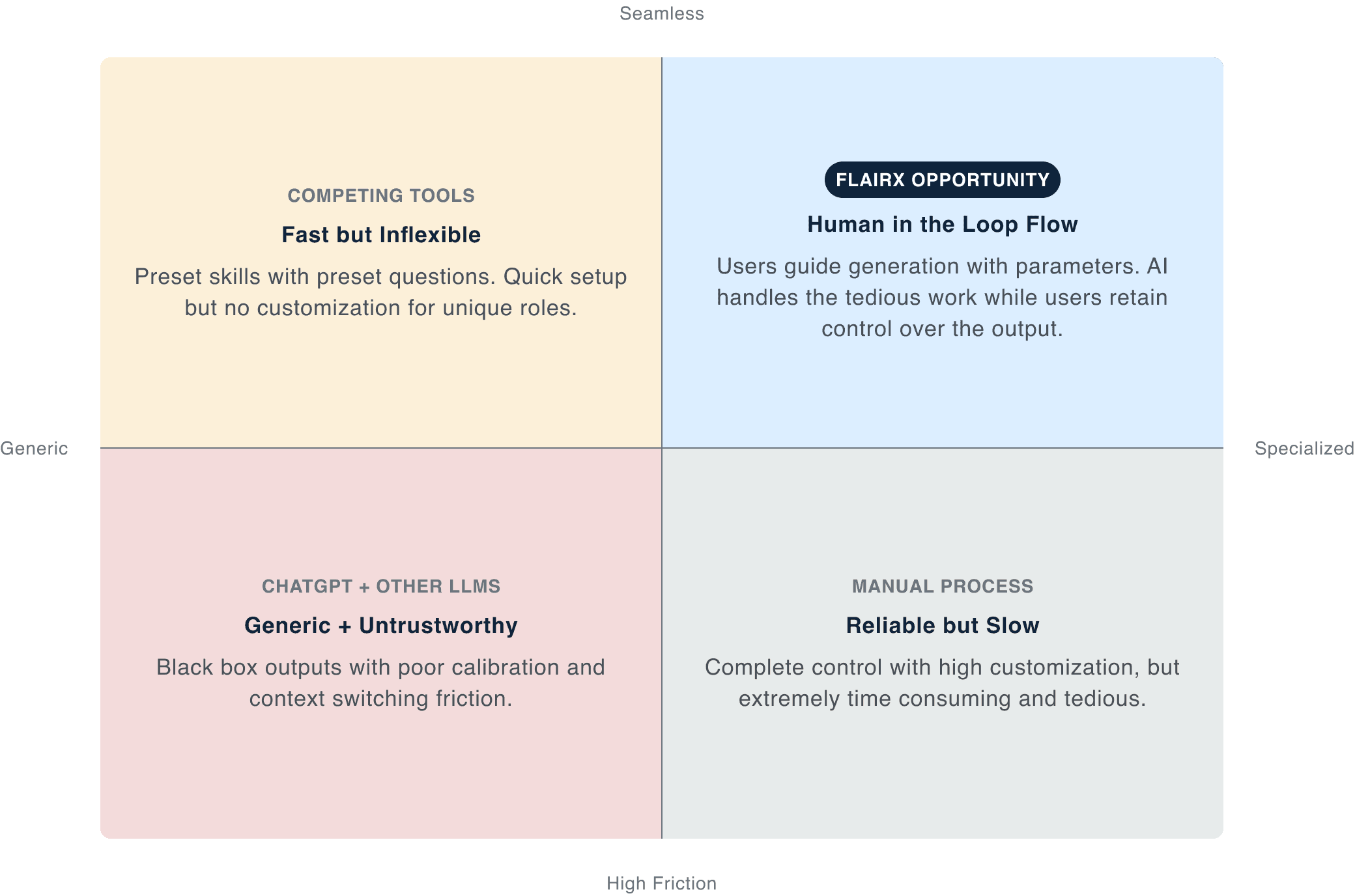
DESIGNING FOR AI
I Advocated for Human in the Loop Over Full Automation
Users should feel in control, not ambushed by automation. A pre-generation calibration step led to more nuanced questions tailored for the role.
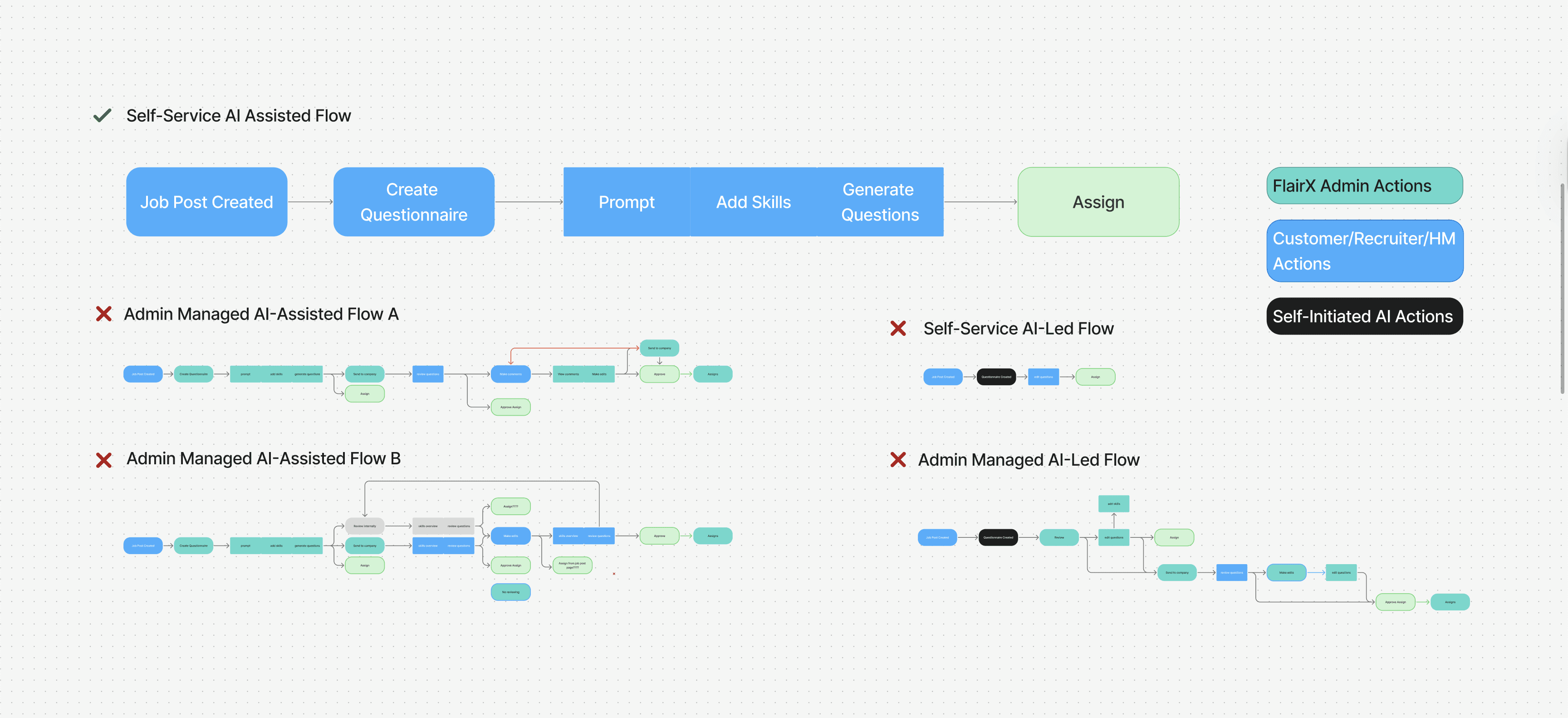
I Dropped Features That No Longer Provided Value
AI INTERACTION
Choosing the Right Interaction Model
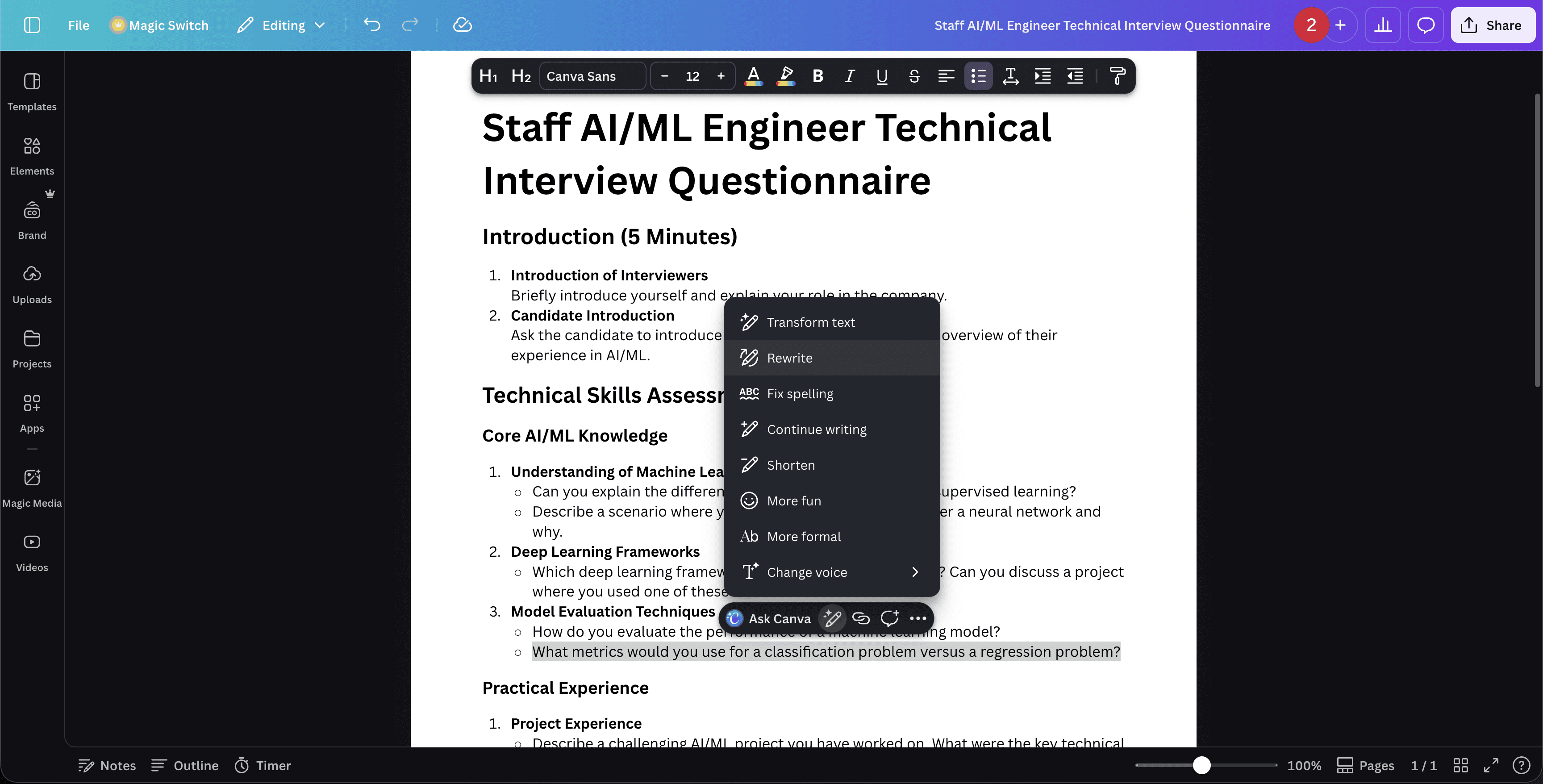
In-Line AI Editing
Canva Magic Write | Google Docs
Rejected
Led to a cluttered UI with tricky multi level editing interactions. The freeform nature left the information ambiguous and unstructured for the system to process effectively.
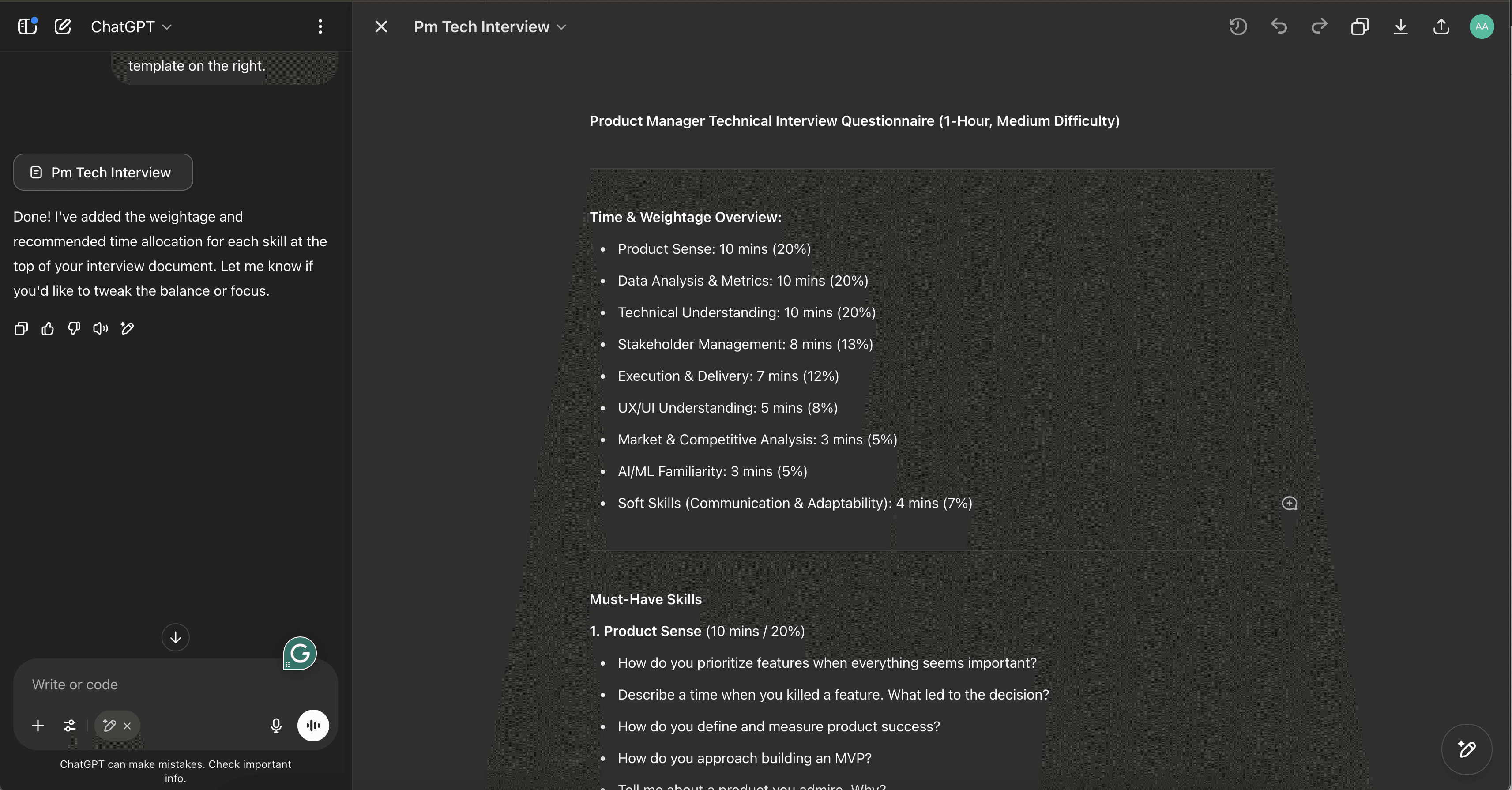
Chat + Workspace Editing
ChatGPT Canvas | Gemini Canvas
Rejected
Conversational "back-and-forth" adds friction and "prompt fatigue". The lack of fixed controls introduces too much ambiguity regarding the next steps.
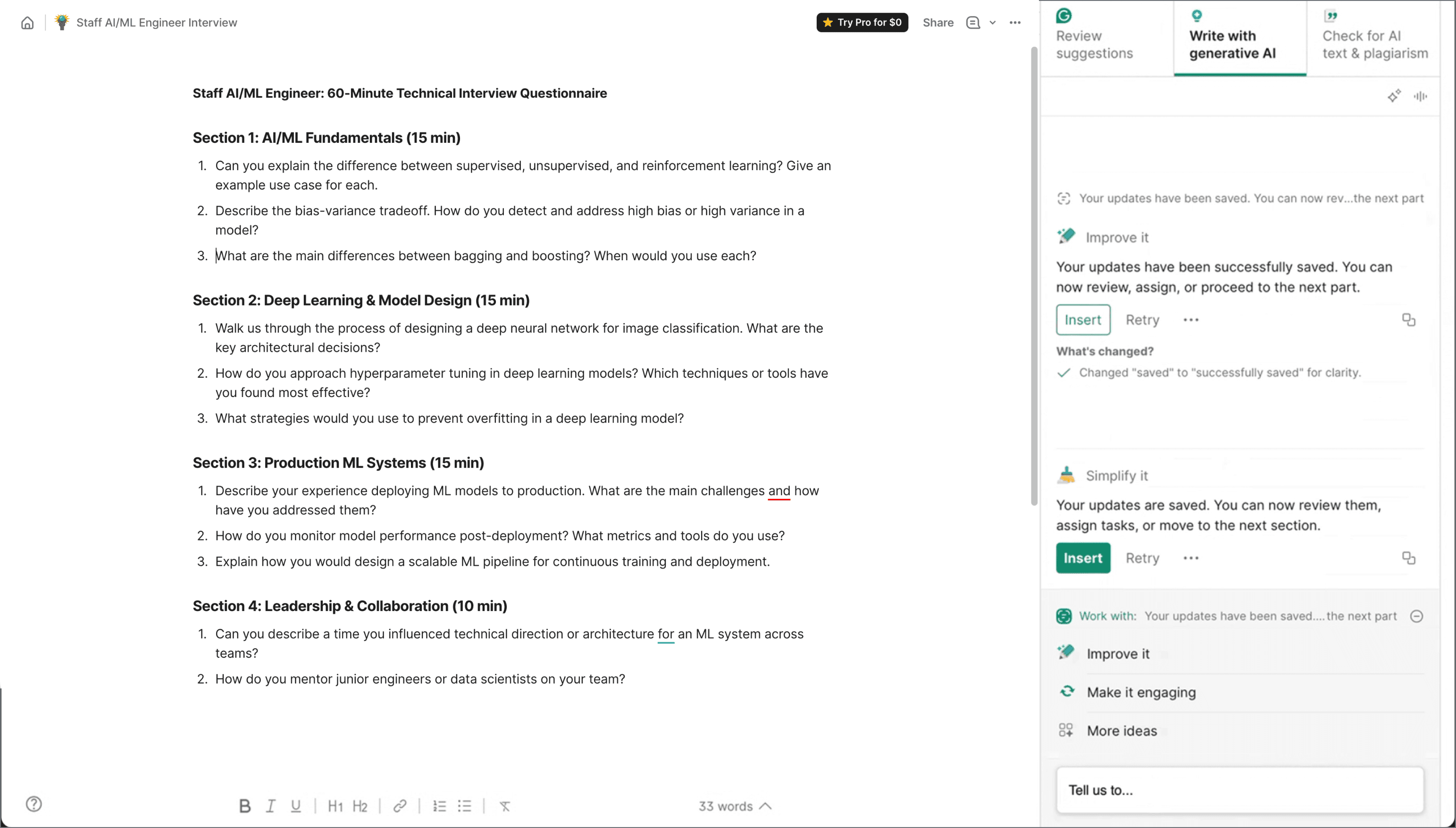
AI Side Panel
Grammarly AI
Selected
Ensures a cleaner workspace and easier multi-level editing. It allows the user to manually refine the final content while the system preserves the information structure.
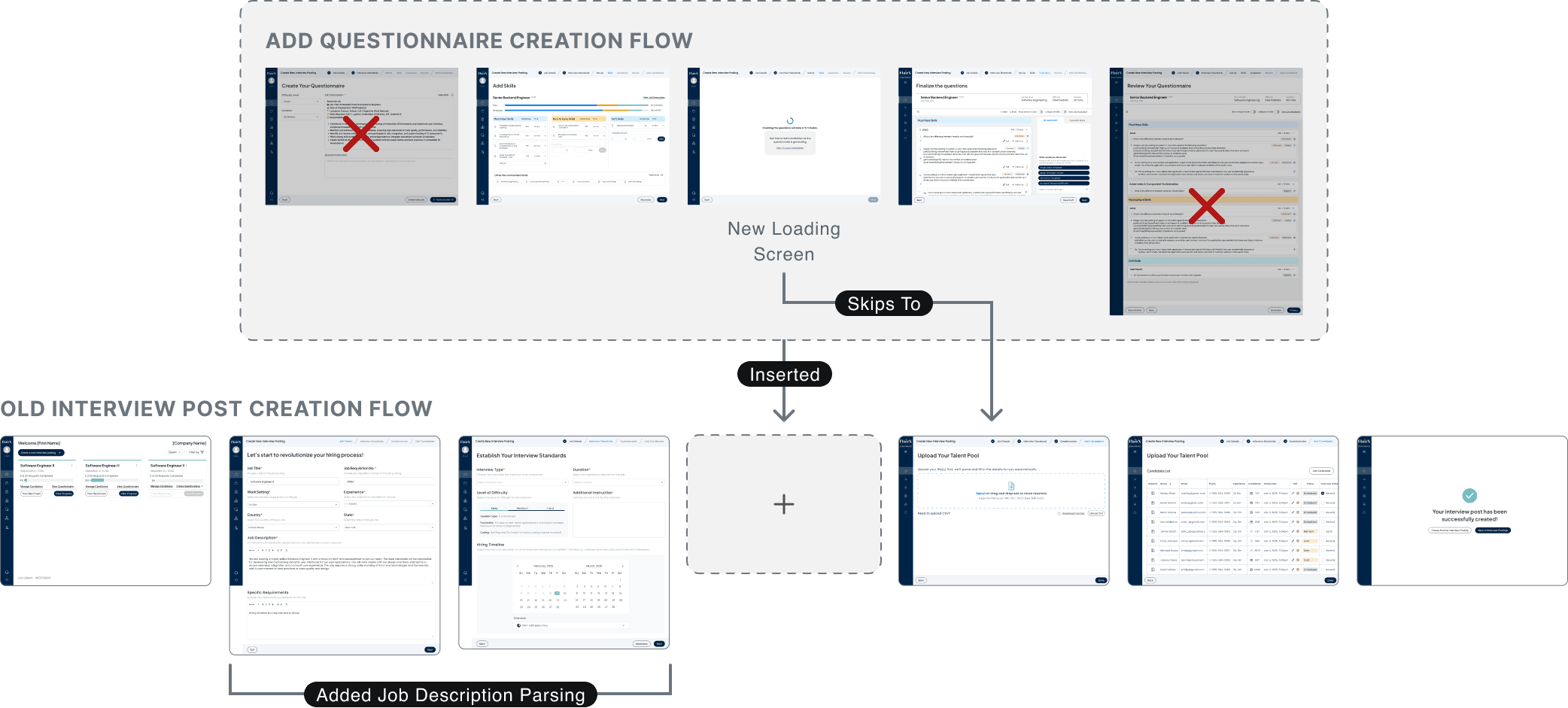
LATE BUSINESS PIVOT
Adapting to a New User in a Last-Minute Service Model Shift
OLD USER
Internal Admin
Core task · High familiarity · Low time pressure · Quality-focused
NEW USER
Customer
Obstacle task · Low familiarity · High time pressure · Just needs it done
REFLECTION
What I Learned
AI UX patterns don't always transfer
Mental models matter more than visual familiarity (our questionnaire ≠ a document)
Clarity beats visual cleanliness
Explicit controls outperform elegant but hidden interactions.
Break complexity into steps
Sequential generation is more predictable than all-at-once.
MORE FROM THE PORTFOLIO
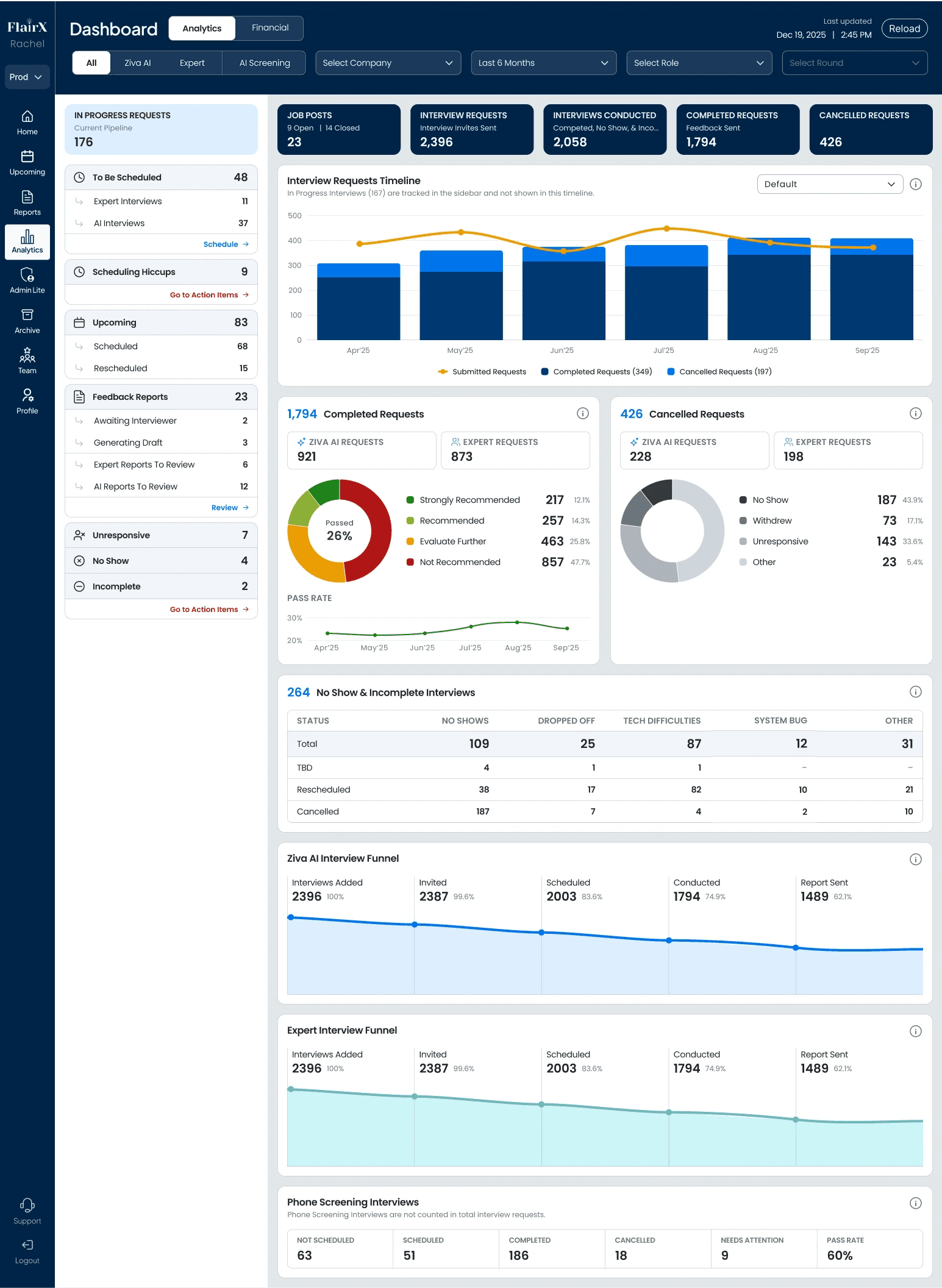
Dashboard Design
B2B Enterprise
HR Tech
Shipped
Turning Status Chaos Into a Real-Time Dashboard
40+
Statuses Streamlined
2+ Hours
Admin Time Saved
View Case Study
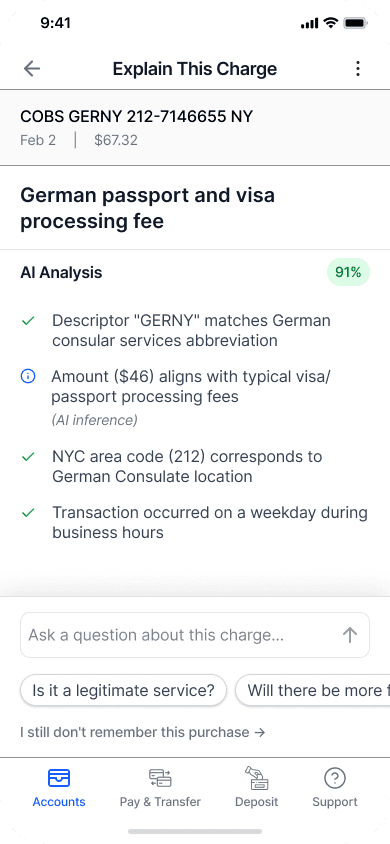

AI Mobile Design
B2C
Fintech
Building Trust into an AI Transaction Explainer
Helping users match legitimate transactions to memory.
Being transparent about sourced data without overwhelming the user.
View Case Study